
How to Post on Your Google Business Profile
Most local businesses set up their Google Business Profile once and never touch it again. That is a mistake you can turn into an advantage. Google Business Profile posts (what a lot of people still call "Google My Business posts") drop fresh content right onto your listing in Search and Maps. They are free, they take five minutes, and almost nobody in your market is using them. That gap is the opportunity.
How to Post on Google My Business, Step by Step
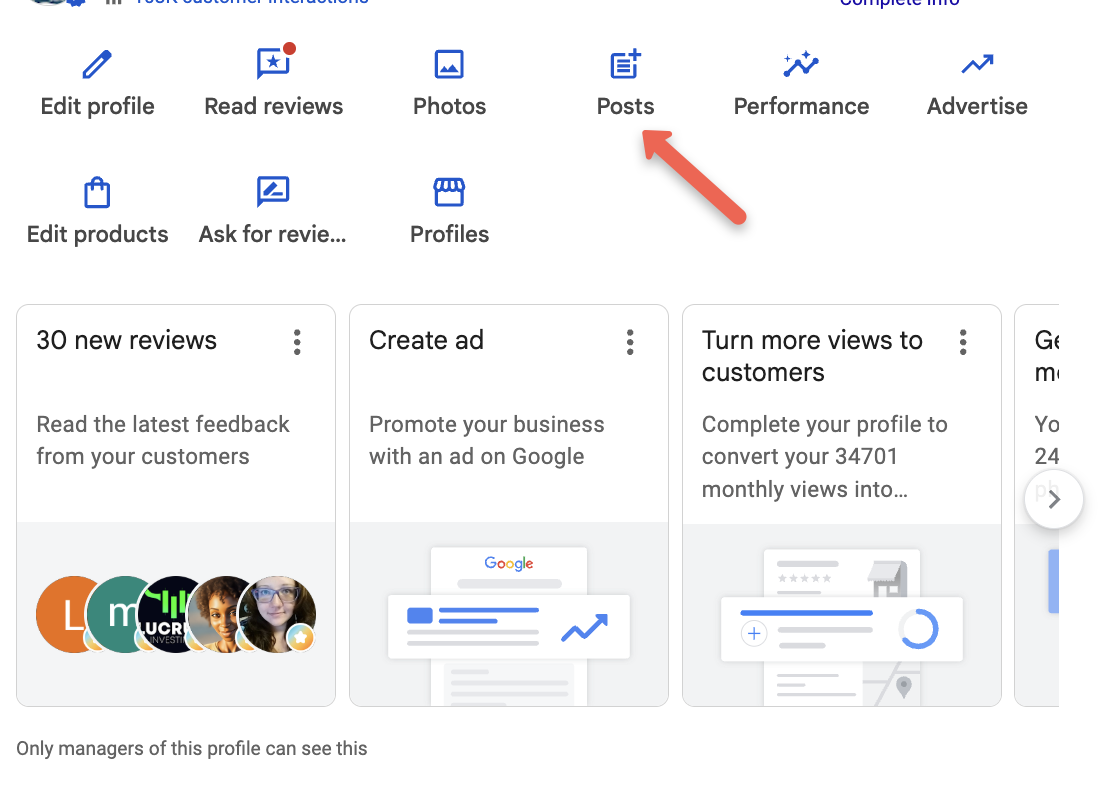
Go to business.google.com and pick your location.
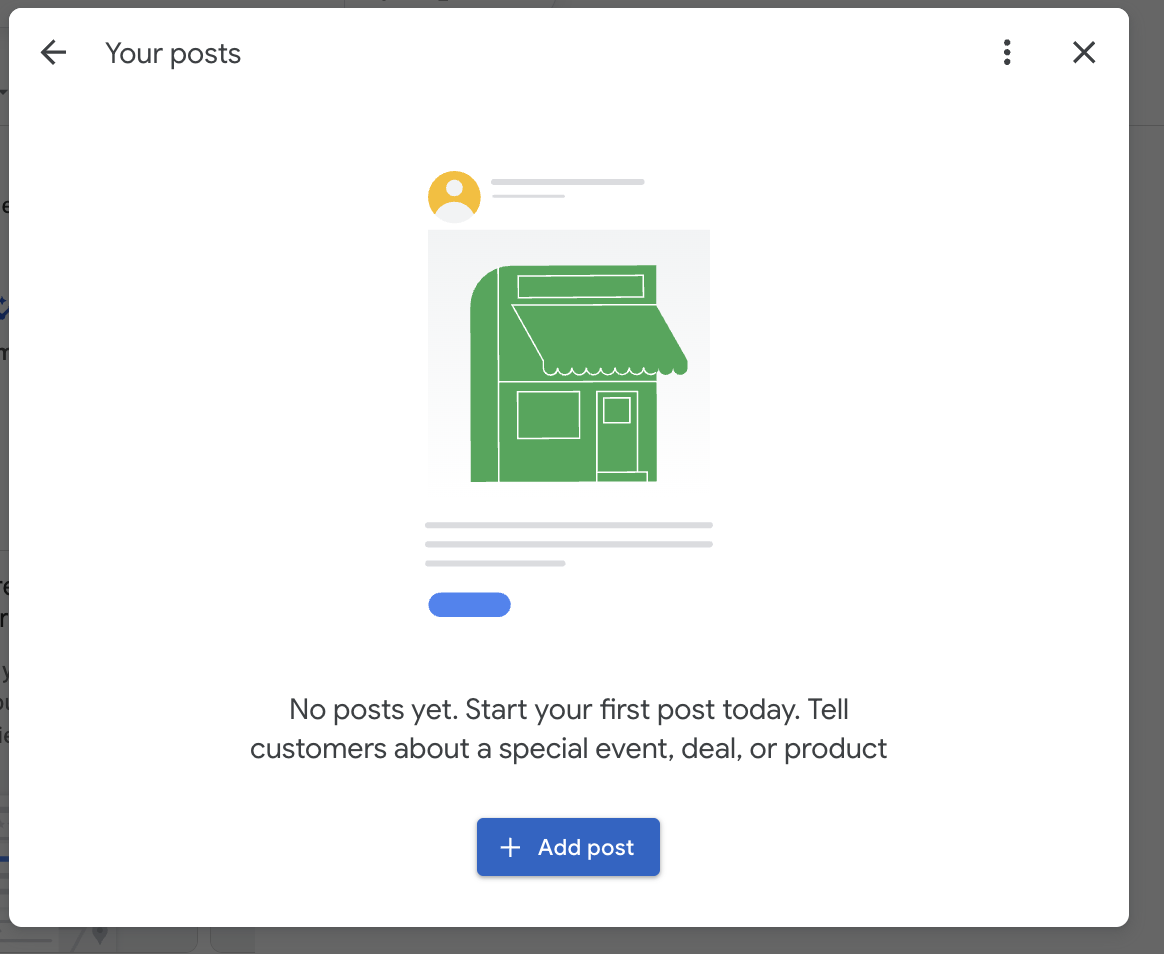
Click "Posts."
Click the blue "+ Add Post" button.
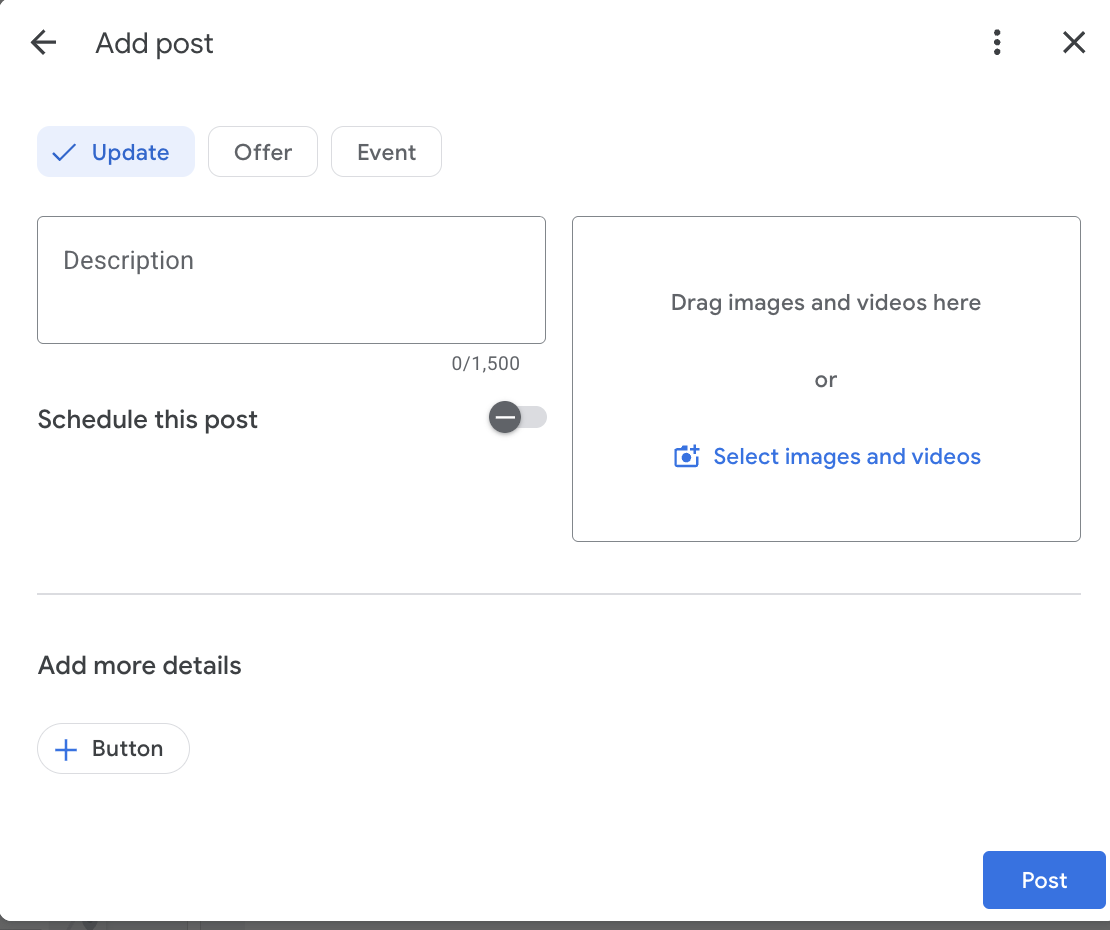
Pick "Update," "Offer," or "Event."
Add a description, images, and videos that stand out.
Tip: add a button for maximum leverage, pointing to your website or landing page.
Click "Post."
That's it. Your post is live!
Some Tips: Fresh Beats Polished
A quiet profile looks closed. When a customer compares three businesses side by side, they lean toward the one that looks active over the one that went silent two years ago. Posts signal to both Google and the customer that you are open, working, and worth calling. You do not need award-winning content. You need to show up, and showing up regularly is something your competitors are almost certainly not doing.
Verify First, Post Second
None of this works without a verified profile and owner or manager access. If you are not verified yet, stop and handle that before anything else. Posts from an unverified listing go nowhere. Once you are in, you have two ways to manage the profile. Use business.google.com when you handle multiple locations, or just search your own business name while signed in and the management panel appears right at the top of Search and Maps. Either path gets you to the same posting tools.
Pick the Right Post Type
Google gives you a few formats, and matching the format to the message matters. Use an Update for general news, a photo or video, and a link button. Use an Offer when you have a real discount, complete with a coupon code, start and end dates, and terms. Use an Event for anything time-bound with a title and dates. Choose the one that fits what you actually want the customer to do, then find the "Add update" or "Promote" option to start.
Give Every Post a Job
One post, one message. One offer, one event, one update. Do not cram three ideas into a single post and hope one lands. Write a short description with the important words first, because mobile truncates the rest. Add a real photo of your work, your team, or your storefront, since stock images get ignored. Then attach an action button, "Call now," "Learn more," or "Book," so the customer has somewhere to go. A post without a next step is a dead end.
Consistency Is the Whole Game
Post weekly if you can, twice a month at the minimum. Offers expire and updates go stale, so a profile with nothing recent reads as abandoned. You can schedule posts in advance to stay ahead, and Google reviews each one before it goes live, so build in a little lead time. Then watch your numbers. Your profile reports views and clicks, so pay attention to what pulls a response and do more of it.
Conclusion
Google Business Profile posts are one of the cheapest local marketing moves available, and the reason they work is that so few businesses bother. You do not win here with volume or polish. You win by being present every week when your competitors are not. Show up, give each post a clear job, and let consistency do the heavy lifting.
Want help turning your Google presence into real leads? VisitPenta West Marketingand let's build a local strategy that actually shows up.